
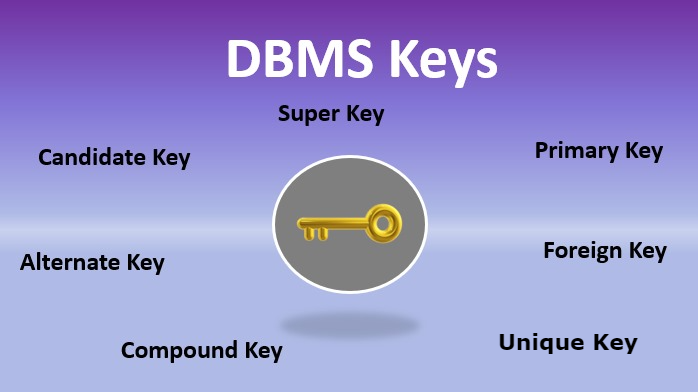
In database management systems (DBMS), database keys play a fundamental role in organizing, identifying, and maintaining data integrity. Whether you’re working with MySQL, PostgreSQL, or enterprise systems like Oracle Database, understanding database keys is essential for designing efficient and reliable databases.
This guide explains what database keys are, why they matter, and the different types of keys every developer and database administrator must understand.
Table of Contents
What Are Database Keys?
A database key is one or more attributes (columns) in a table used to uniquely identify records and establish relationships between tables.
Keys ensure:
- Data uniqueness
- Data integrity
- Efficient querying
- Proper relationships between tables
Without keys, databases would struggle to manage duplicate entries, maintain consistency, and perform joins effectively.
According to database design principles outlined in MySQL documentation, keys are foundational to relational database architecture.
Why Are Database Keys Important?
Database keys are essential because they:
- Prevent duplicate records
- Enable relationships between tables
- Improve query performance
- Maintain referential integrity
- Support normalization
In relational database systems like PostgreSQL, keys are automatically indexed, which speeds up search and retrieval operations.
Types of Database Keys
There are several types of keys used in relational databases. Each serves a specific purpose.
1. Primary Key
A Primary Key uniquely identifies each record in a table.
Characteristics:
- Must contain unique values
- Cannot contain NULL values
- Only one primary key per table
Example:
| StudentID | Name | |
|---|---|---|
| 101 | Ali | ali@email.com |
Here, StudentID is the primary key.
Primary keys ensure that no two rows represent the same entity.
2. Candidate Key
A Candidate Key is any column (or set of columns) that can uniquely identify a record.
A table may have multiple candidate keys, but only one becomes the primary key.
Example:
- StudentID
Both could uniquely identify a student, but only one is selected as the primary key.
3. Super Key
A Super Key is a set of one or more columns that uniquely identify a record.
All candidate keys are super keys, but not all super keys are minimal. For example:
- (StudentID) → valid
- (StudentID, Name) → also unique but unnecessary
Super keys may include extra attributes beyond what is required.
4. Foreign Key
A Foreign Key establishes a relationship between two tables.
It references the primary key of another table.
Example:
Students Table
| StudentID | Name |
|---|---|
| 101 | Ali |
Orders Table
| OrderID | StudentID |
|---|---|
| 5001 | 101 |
Here, StudentID in the Orders table is a foreign key referencing the Students table.
Foreign keys enforce referential integrity, meaning you cannot reference a non-existing record.
Relational systems like Microsoft SQL Server strictly enforce foreign key constraints to prevent orphan records.
5. Composite Key
A Composite Key consists of two or more columns that together uniquely identify a record.
Example:
| StudentID | CourseID | Grade |
|---|---|---|
| 101 | CS101 | A |
Here, (StudentID + CourseID) forms a composite key.
Composite keys are common in many-to-many relationships.
6. Unique Key
A Unique Key ensures that all values in a column are unique, but unlike a primary key, it may allow one NULL value (depending on the DBMS).
Example:
- Email address column
Unique keys help enforce data consistency without making the column the primary identifier.
7. Alternate Key
An Alternate Key is a candidate key that was not selected as the primary key.
If StudentID is primary, then Email (if unique) becomes an alternate key.
Primary Key vs Foreign Key: Key Differences
| Feature | Primary Key | Foreign Key |
|---|---|---|
| Purpose | Uniquely identifies a record | Links two tables |
| NULL values | Not allowed | Can allow NULL |
| Uniqueness | Must be unique | Can repeat |
| Quantity per table | One | Multiple allowed |
Understanding this distinction is critical for proper database design.
How Database Keys Improve Performance
Database keys are automatically indexed in most relational systems. Indexing:
- Speeds up searches
- Optimizes joins
- Reduces full-table scans
Without keys, large-scale applications would experience severe performance bottlenecks.
Common Mistakes in Using Database Keys
Developers often make these mistakes:
- Using non-unique values as primary keys
- Overusing composite keys unnecessarily
- Ignoring foreign key constraints
- Not indexing foreign keys
Proper database design requires planning relationships before implementation.
Best Practices for Using Database Keys
- Always define a primary key for every table
- Use auto-increment IDs when suitable
- Keep primary keys simple (prefer single-column keys)
- Apply foreign key constraints carefully
- Avoid changing primary key values after creation
Following these practices ensures scalability and data integrity.
Conclusion
Database keys are the backbone of relational database systems. From uniquely identifying records to establishing relationships between tables, keys ensure consistency, integrity, and performance.
Understanding the differences between primary, foreign, composite, and unique keys is essential for developers, database administrators, and backend engineers. Whether you’re working with MySQL, PostgreSQL, or enterprise-grade systems, mastering database keys will significantly improve your database design skills.
In modern application development, clean schema design is not optional, it is critical. And database keys are where that design begins.
Also Check Advanced React Concepts – Comprehensive Guide 2026